
Basic Hinting & Portal Creation
What is Hinting?
The process of hinting is central to optimizing visibility calculations in Quake 3 maps. During compilation, Q3Map and Q3Map2 automatically generate portals based on the structural brushes in your map. While this automatic process often produces acceptable results, it can also lead to inefficient rendering, where the engine processes and draws geometry that should not be visible to the player. Hint brushes allow the level designer to take control of portal placement, improving performance and frame rates.
How Portals Are Generated
By default, Q3Map extends every structural brush along its faces in all directions. The intersections of these extensions form the corners of portals. These automatically generated portals may either improve rendering efficiency or, in some cases, cause unnecessary geometry to be drawn.
To refine this process, mappers use hint brushes (brushes textured with common/hint). A hint brush forces the creation of a portal along its faces, allowing the designer to control how the map is divided for visibility (VIS) calculations.
Note: Q3Map and Q3Map2 may still subdivide hint brushes where they intersect other structural brushes, but the overall shape of the hint volume remains intact.
Visualizing Portals
To understand how portals affect rendering, imagine standing inside one of the hint-generated portals. During the compile process, the engine calculates which other portals are visible from that space. If even a small portion of another portal is visible, the engine will render the entire contents of that portal, including all brushes and entities within it.
The larger a portal is, the more other portals it is likely to intersect with, and therefore the more geometry the engine will attempt to draw. This can dramatically increase r_speeds and reduce performance.
What 'Drawing' Means
When we refer to the engine 'drawing' geometry, we mean that it processes polygons for rendering, regardless of whether they are visible on-screen. With the console command r_showtris 1, you can view these drawn polygons.
The rendering pipeline works from back to front: distant polygons are drawn first, followed by closer ones, which overwrite the earlier render passes. In an ideal scenario, if you stand directly in front of a wall, only that wall is drawn. However, poor or absent hinting often results in the engine drawing all geometry hidden behind the wall, wasting processing power.
Effective hinting reduces this workload, ensuring the engine only renders what the player should actually see, which in turn improves frame rates.
Examples of Hinting
Figure 1
An unhinted (or improperly hinted) example: crates behind a wall are drawn even when unseen. This inefficiency is what we want to prevent.

Figure 2
A top-down view of a large room split by a floor-to-ceiling wall. Without hinting, the player can potentially see across the entire space, causing unnecessary rendering of hidden objects. Hinting ensures the unseen crates behind the wall are not drawn.
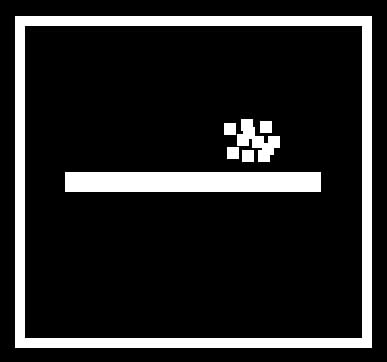
Figure 3
An example of poor hint placement. Two hint brushes (A and B) are positioned such that they can see each other from multiple points. As a result, all geometry inside both volumes is always drawn. This negates the purpose of hinting.

Figure 4
A corrected example. Hint brush A no longer has direct line of sight to hint brush B. Objects within B are therefore not drawn when standing inside A. The compiler generates additional supporting portals (shown in blue in Figure 5). Figure 6 illustrates the lines of sight from hint cube A.

Figure 5

Figure 6

Figure 7
From position C, portals A, B, and C are visible, but portal D is not. Geometry in portal D will therefore not be calculated or rendered.

Figure 8
A more advanced example using angled hint brushes. This arrangement allows the player to move between areas without triggering rendering in area B. In addition, when the player is within area A, geometry in the orange-marked regions (Figure 9) is excluded from rendering.

Figure 9
