
Areaportals
Original by Joel 'DeathMongrel' Caesar 2002
A LITTLE BIT ON VIS
When you VIS a map, it is broken down into a bunch of little areas. The VIS process then basically tries to determine which other areas can be seen from every other area. If an area can't be seen, then the polygons in the unseen area are not drawn. For example, polygons on the other side of a wall.
Entities (doors, curves, detail brushes, and models) are not part of the VIS process. They are added into the game at runtime (i.e. when you are playing the game). What this means is, if you are in a room, looking at a door, and there is another room on the other side of the door, the polygons in the other room, are drawn, even if the door is closed. Obviously this slows down the game.
AREAPORTALS - WHAT THEY DO
Areaportals were created by Id, to tell the game engine when or when not to draw polygons. When a door is closed, the Areaportal turns on, and the polygons on the other side of it are not drawn. When a door is opened, the Areaportal turns off, and the game engine draws the polygons on the other side. The obvious advantage is a speed up in gameplay. An Areaportal is what I like to call a runtime VIS blocker.
The first picture here, is an example of an open door, showing all the polygons drawn when a door is opened.
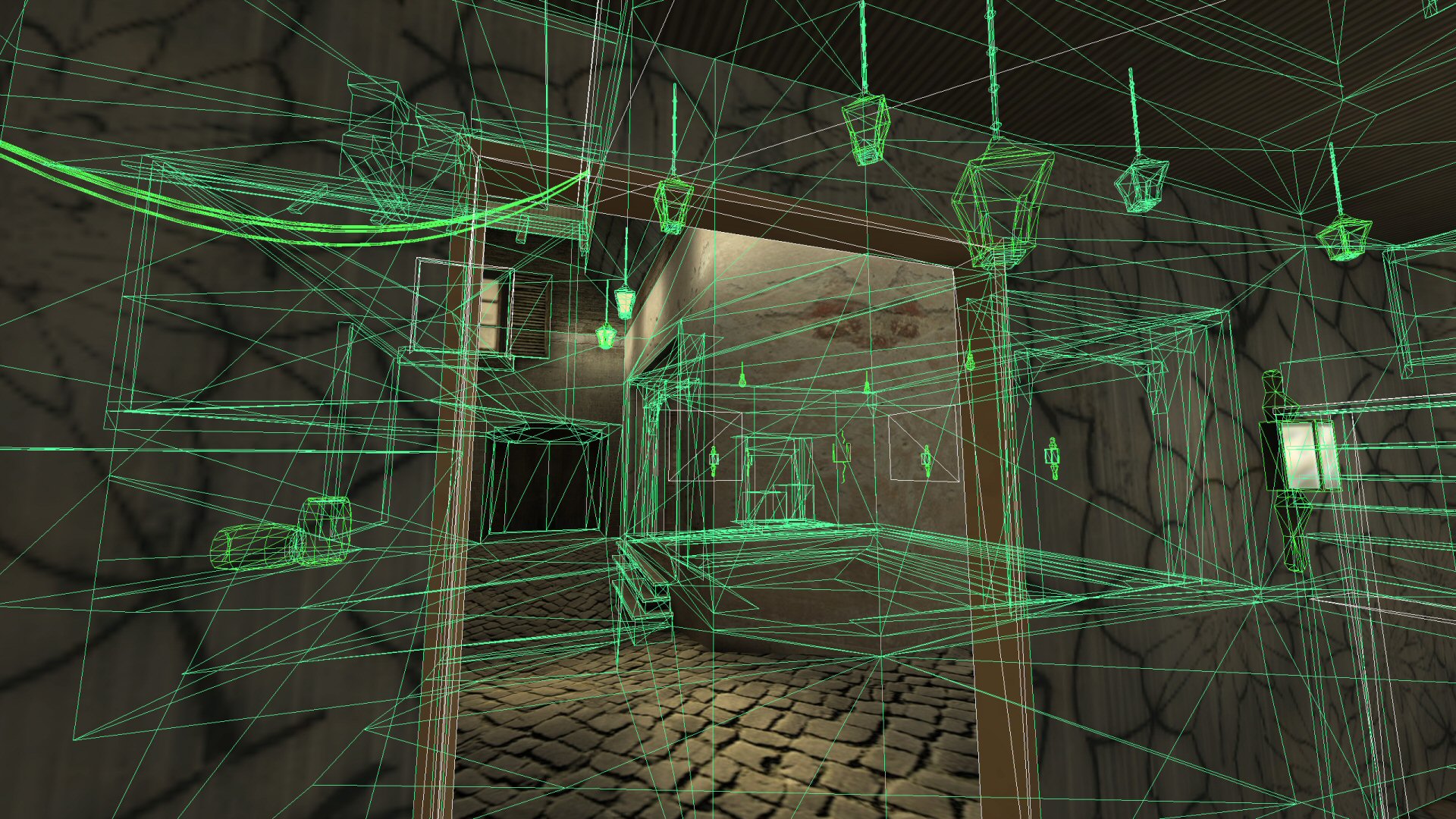
Without an Areaportal in this door, all these polygons beyond the door, would STILL BE DRAWN even if the door was closed.
This second picture, shows how all those extra polygons disappear when the door is closed, if the door contains an Areaportal.
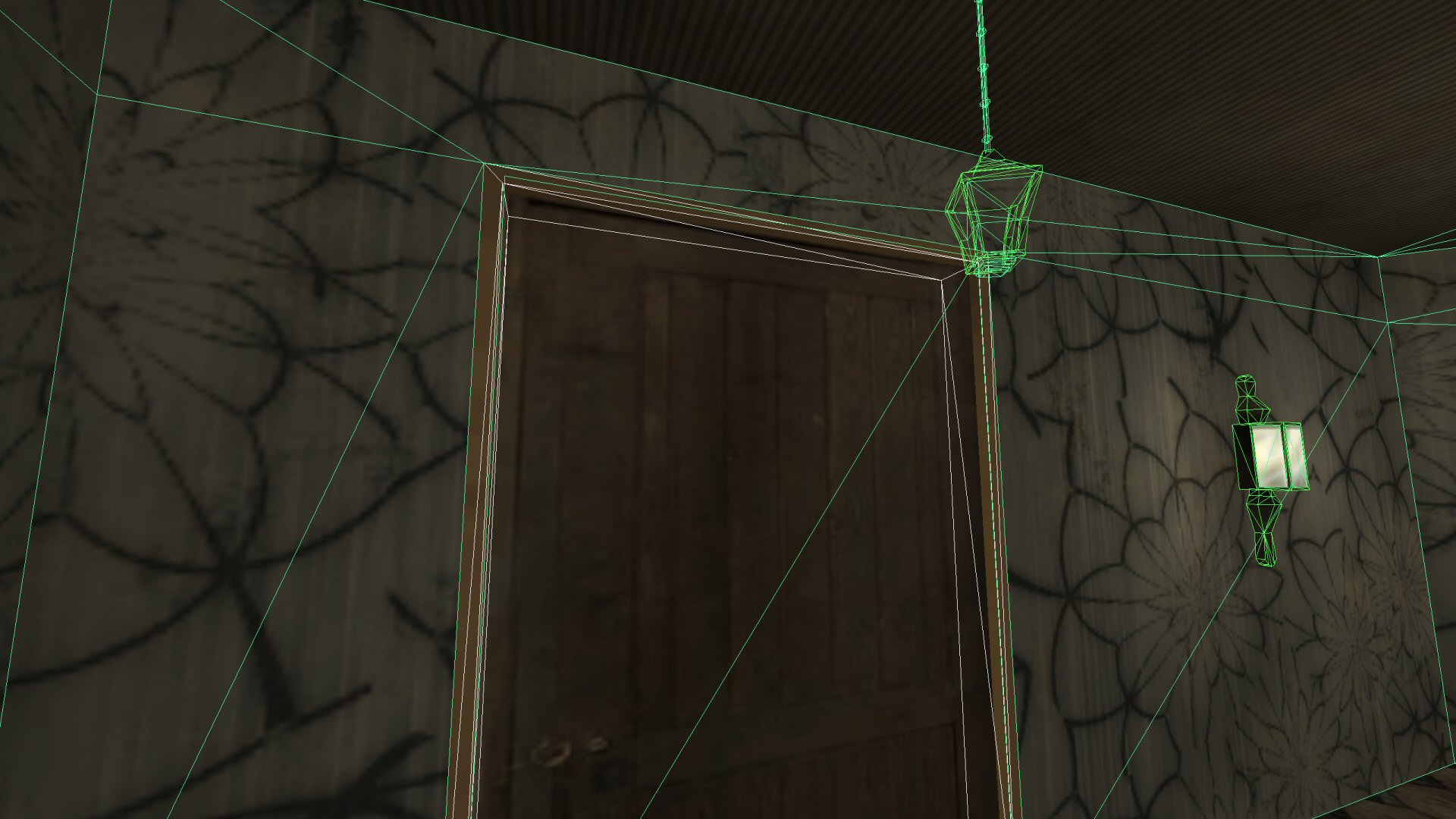
In this example, one of the lanterns is a func_pendulum - thus renders through the door because it's an entity.
Dynamic entities like playermodels, weapons and projectile also are not culled.
So that's what an Areaportal is. I hope I've been able to explain the concept well enough to you.
CONSTRUCTION
Create a brush and size it to cover your doorway. It should completely cover the door opening. It also needs to go beyond curves. Turning curves off in the Q3Radiant view menu will help a great deal. Next, you need to make it thin, at least thinner than your door.

After sizing the Areaportal brush, I typically make it 1-2 grid units
thick. It should fit within your doors (single brush or multibrush-teamed
doors) and you should not be able to see it from any angle when the
doors are closed. I've been told that in some Id maps, you can
see these, but that was a problem in Q2, so I recommend that you keep
them from being seen. Also, if an Areaportal is not inside a door,
you will get the error message, "Areaportal cannot exist in world."
Finally, load the common texture set, and apply the area_portal texture,
a medium sized pink square, with AP on it. While older articles suggest you should apply
this to all sides of the brush, I personally have seen the same results from using skip on 5 sides with area_portal on 1 side.
That's all there is to it. The door (or a multiple brush teamed
door) that touches the AP brush, should automatically trigger the
Areaportal--no more pointing doors at entities, etc.
CAVEATS
As with Q2, the Q3 Areaportal has some caveats. Areaportals cannot touch more than one area once, just like in Q2, though the errors/warnings"Areaportal touches >2 areas" or "Areaportal touches < 2 areas" don't get printed out. All that happens is the Areaportal doesn't work.
A simple way to check for the validity of Areaportals:
1. Pretend your map is a real place.
2. Imagine filling the room on one side of the AP with water or a vaporous gas.
If you have other doors, you'll probably need to make them Areaportal doors also.